
Laptop Sleeve 15.6 Fit Guide for Real Laptops
The most popular advice is to match the sleeve to the number on the laptop box and stop there. That advice fails as soon as two machines sit on the same desk.
Both can be sold as 15.6-inch laptops. One is a thin office chassis with narrow bezels. The other is a thicker gaming body with rubber feet and a tall hinge. A sleeve that swallows the first can pinch the second, and a sleeve cut for the second lets the first rattle. The number shoppers search for is the diagonal of the glass, not the closed body you carry.
A maker checks a case the way a last is checked for a shoe. Length, width, and thickness come first. Padding, lining, a hard shell, and a charger come next. A handsome hide is structure. Shock protection is a separate job.
Table of Contents
- Why 15.6 Does Not Guarantee a Fit
- Closed Dimensions Behind a 15.6 Screen
- How to Check Sleeve Fit on Your Laptop
- Padding and Materials That Protect a 15.6 Laptop
- Device Only Sleeve or a Small Work Kit
- Confirm the Sleeve Before You Buy
Why 15.6 Does Not Guarantee a Fit
Say you order a laptop sleeve 15.6 because the product photo looks right. It arrives. Your thin-bezel work laptop drops in with spare room on both sides, while a colleague's thicker machine in the same screen class will not clear the zipper. Same label on the carton. Different closed bodies.
The label is everywhere because that broad size band leads the market. Screen-size data from Market Data Forecast put the 15.0-to-16.9-inch segment at a 38.3% share in 2025, the leading broad display-size category. The same assessment valued the global laptop industry at USD 232.39 billion in 2025. A 15.6-inch panel can sit in a thin-bezel chassis, a conventional business laptop, or a thicker gaming computer, so that share is not one body size.
Buying by the diagonal is like buying a shoe from the length printed on the insole, not from the last that shapes the upper. The print names a category. It does not say whether the heel, the toe box, or the instep will bind.
The three numbers used from here on are closed length, closed width, and closed thickness. Padding and lining consume part of the cavity. A hard shell or a charger changes how much usable interior the computer needs. Even a structured piece from a black leather laptop bag range still has to clear those three axes.
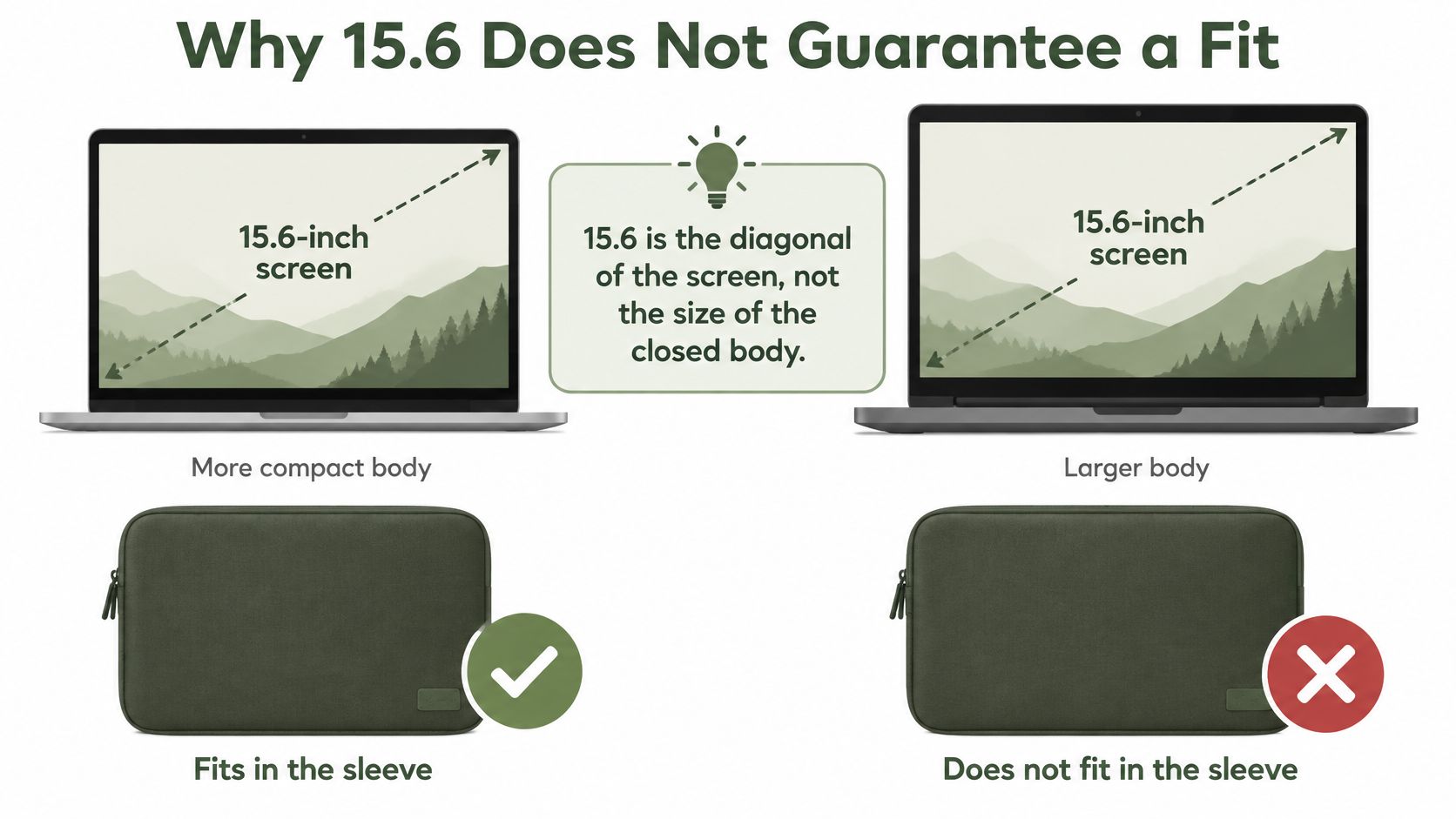
Write the three numbers down before you trust a marketing size claim. The screen class explains why so many sleeves carry the 15.6 name. It does not tell you whether this sleeve will hold this laptop.
Closed Dimensions Behind a 15.6 Screen
Measure the closed laptop and compare it with the sleeve's usable interior. Ignore the screen diagonal for that comparison.
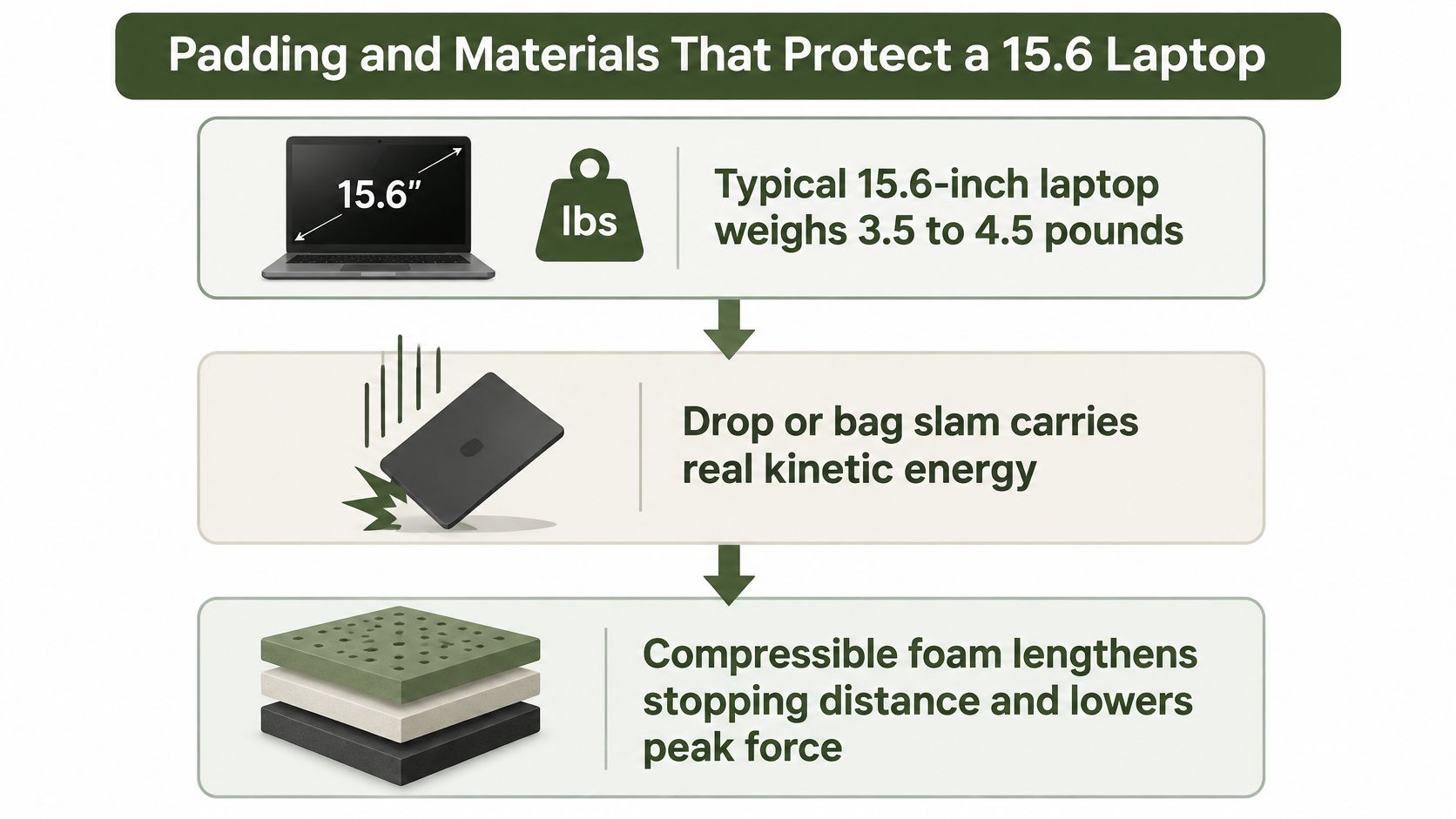
HP support documentation gives a concrete anchor, not a universal size. The HP 15-fd series measures about 35.98 × 23.60 × 1.86 cm (14.17 × 9.29 × 0.73 in). Broader HP size guidance places a typical 15.6-inch footprint near 14.1 × 9.3 in, with typical weight at 3.5–4.5 lb.
| Chassis | Closed size | Weight | What the sleeve must clear |
|---|---|---|---|
| HP 15-fd series example | 35.98 × 23.60 × 1.86 cm (14.17 × 9.29 × 0.73 in) | Within the 3.5–4.5 lb class | Usable interior larger than this exact body, including hinge |
| Typical 15.6-inch laptop | About 14.1 × 9.3 in; thickness is model-specific | 3.5–4.5 lb | Length, width and thickness, not the diagonal |
| Thin-bezel office chassis | Often shorter and narrower than older 15.6 bodies | Often under the heavy end of 3.5–4.5 lb | A tighter sleeve; an oversized cavity lets it slide |
| Thicker gaming-style 15.6 | Larger effective height from vents, feet and hinge | Often at or above 4.5 lb | Extra thickness so padding does not press the lid |
| Same laptop in a hard shell | Larger than the bare manufacturer size | Shell weight added | Measure with the shell on, not from the spec sheet |
What each row changes
The HP 15-fd row is one current body, useful because it is fully stated in centimeters and inches. A sleeve whose usable interior is smaller than 14.17 × 9.29 × 0.73 in cannot claim to clear that example, hinge included. The typical row is only a footprint. Thickness is left off that footprint on purpose, because two laptops with nearly the same length and width can differ by several millimeters at the rear.
A thin-bezel office laptop is often shorter and narrower than an older thick-bezel 15.6. A sleeve cut for the older body will let the lighter machine slide. In a drop, a computer in the 3.5–4.5 lb range can pick up speed inside a loose cavity. The better interior is a small allowance: enough to insert and remove the computer, not a pocket it can skate across.
A gaming-style chassis in the same screen class is often thicker. Rear vents and rubber feet raise the effective height above the bare lid measurement. A hard shell, a privacy filter, or a tall hinge makes the envelope larger than the spec sheet. If you are still picking the right laptop in Singapore, note the closed body before you shop a sleeve, because the machine you choose sets these three numbers.
Practical rule: A sleeve that matches length and width but ignores thickness loads the hinge, the feet, or a protruding port.
Write your own length, width, and thickness beside the sleeve's stated maximums before you judge padding. The diagonal stays on the box. The comparison uses the closed chassis.
How to Check Sleeve Fit on Your Laptop
Do this at a desk, with the laptop you will carry and the sleeve listing in front of you.
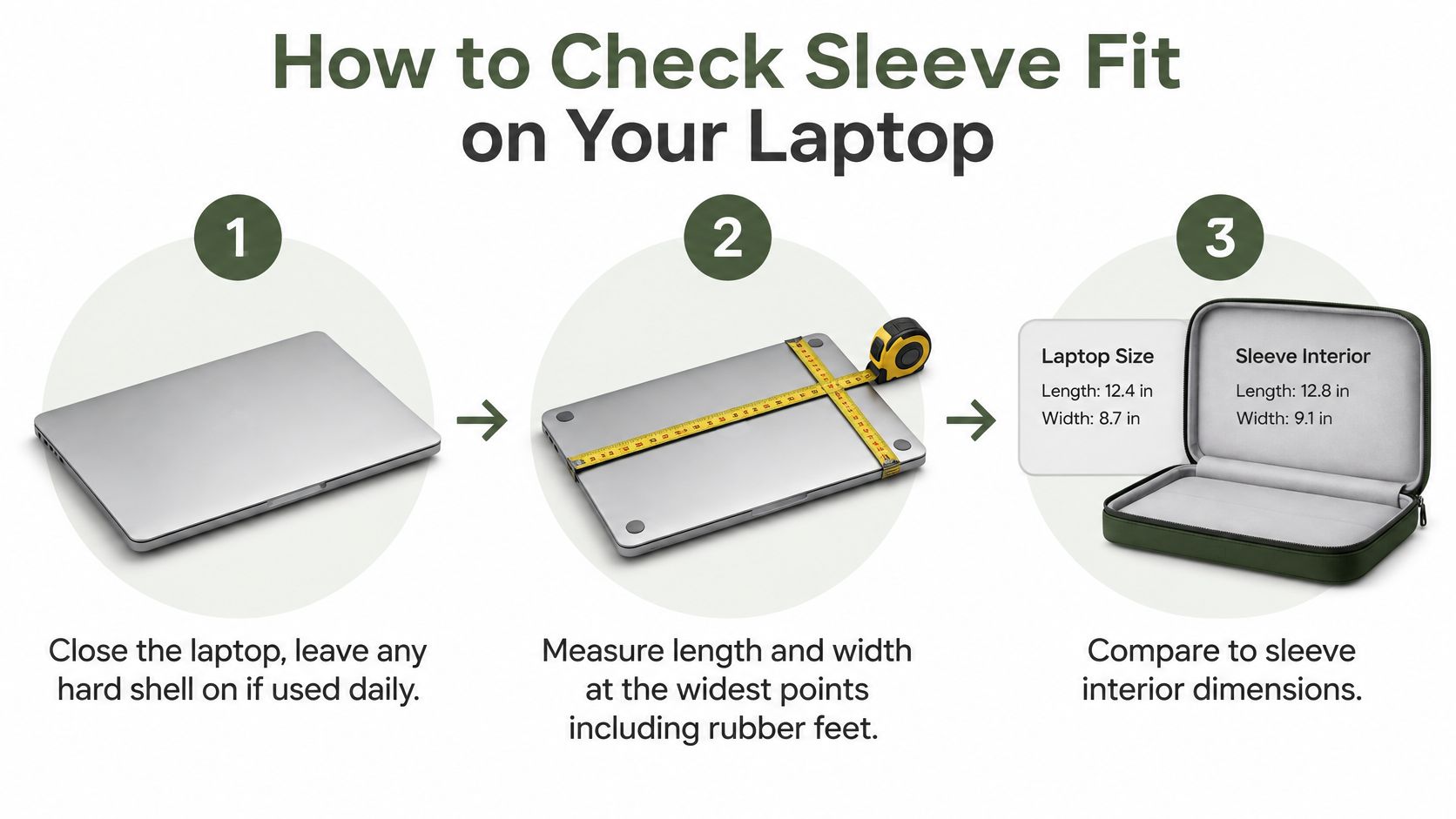
- Close the laptop and leave the daily shell on. Measure length and width at the widest points, including rubber feet. People miss this by measuring the open screen, which is larger than the body the sleeve must hold and smaller than a shell that wraps the corners.
- Measure thickness at the thickest point. That point is usually the hinge or the rear feet, not the thin front lip. A front-edge reading understates the stack the zipper has to close over.
- Read the sleeve's usable interior. Skip the external leather size and any bare 15.6 claim. Brands print external dimensions, internal dimensions, or only a screen size. External figures include the sleeve's own walls, so they always look more generous than the cavity.
- Compare all three axes. The laptop must enter without forcing the zipper or the lid, and once inside it should not shift freely side to side. An empty-hand squeeze of the sleeve tells you nothing about that hold.
- Slide it in and out twice. Look for scraping on corners, a zipper track sitting on the lid, or padding that bows the screen. Product photos hide those contact points.
- Close it fully and press the outside. Localized hard spots at ports or the hinge mean the thickness allowance is gone. If you have to lean on the closure, the cavity is already too tight.
- Put the loaded sleeve into the bag it will ride in. Check that the bag's compression does not fold the sleeve. A sleeve that feels fine on a table can crease once a briefcase flap or a crowded carry-on presses it. A separate tech organizer travel case keeps cables out of that squeeze.
If a listing gives no internal length, width, and thickness, treat the fit claim as unverified and check the sleeve in person before you buy.
The pass test is simple. Insertion is easy, the hold is slight, the lid takes no pressure, and the sleeve does not rattle when you tilt it.
Padding and Materials That Protect a 15.6 Laptop
A 15.6-inch label tells you about the screen diagonal, not how well a sleeve protects the closed laptop. A handsome leather shell can resist scuffs and help hold a sleeve's shape, but it is not shock padding. For impact protection, look for a compressible layer between the chassis and the outside.
Where the padding has to sit
Padding works by giving an impact more distance over which to slow the laptop. If the layer is thin, missing at a corner, or compressed flat, the chassis takes more of the hit. Look for coverage across the base, side edges, corners, and lid face.
The closure matters too. A zipper pressed against the laptop can act like a hard ridge, especially near the lid. The sleeve should close without forcing the chassis or squeezing the padding flat.
A soft, low-abrasion lining helps limit scratches from dust and rough seams. Run a fingertip along the inside seam: exposed stitching or zipper tape can rub the laptop as it slides in and out. A smooth lining protects the finish, while padding addresses impact. They do different jobs.
A crowded commute or a packed travel bag can press a sleeve from the outside. A structured outer wall helps resist folding, but it cannot replace padding against the laptop. A canvas laptop bag can serve as an outer carrier; the protection still depends on the layers between the bag and the device.
Four tests the word padded hides
Treat protection as several separate checks, rather than relying on one label.
- Corner coverage: Check whether padding reaches the corners, where a hit can concentrate on a small area.
- Zipper contact: Slide the laptop in and out, then inspect the lid for marks. Keep the zipper track from resting against the chassis.
- Bag pressure: Place the loaded sleeve in the bag you use for commuting or travel. Check whether the outer bag presses the sleeve flat or makes it fold.
- Damp conditions: Consider whether the sleeve's material and construction suit your commute. A damp outer surface does not tell you whether moisture has reached the lining.
A screen crack can require a repair, as shown by the Steel City IT screen replacement service. A sleeve can reduce some everyday contact and pressure, but its leather shell alone cannot cushion a blow.
Which layer does which job
| Layer | Job on a 15.6 sleeve | Fails when |
|---|---|---|
| Full-grain leather shell | Resists abrasion and helps the sleeve hold its shape | Leather alone is expected to cushion impact |
| Structured fabric shell | Provides an outer wall that resists folding | The sleeve collapses like a soft pouch |
| Compressible padding | Cushions the laptop by slowing it over a longer distance | Coverage skips corners or the lid face |
| Soft, low-abrasion lining | Reduces rubbing from dust and interior seams | Stitching or zipper tape contacts the chassis |
| Closure and zipper | Keeps the laptop enclosed | The track presses directly against the computer |
Choose the outer material for wear and shape, then check what sits between it and the laptop. The hide faces the outside; the cushioning layer faces the device.
Device Only Sleeve or a Small Work Kit
Size charts stop at the bare laptop. The key choice is whether the sleeve is a tight home for the computer or a compact kit for cables and a charger.
HP's 2024 specification for its 15.6-inch Modular Laptop Sleeve lists a 6-liter capacity and a weight of 0.93 lb (about 422 g) before any laptop goes in. That is a useful scale for a device-focused sleeve: under a pound of case, and a volume that is already a small bag.
Three packed days
A commute with only the computer favors the slim sleeve. Less case weight, less rattle, and an easier fit inside a briefcase. You are not solving storage. You are keeping one machine from sliding.
An office day is different when the charger is bulkier than the laptop. Keep the brick in another pocket. Stuffing it beside a tight 15.6 body twists the closure and presses the screen. The power pack is often the awkward object, not the computer.
A carry-on day adds a hard shell, a privacy filter, or a cable bundle. None of those were in the bare footprint. Each one steals thickness. People who roll kit between sites often split the load, and durable wheeled bags for mobile technicians show how a separate rolling compartment keeps the brick off the lid entirely.
Organizer pockets buy convenience and charge you in bulk, weight, and new pressure points. A device-only sleeve stays slim and controls movement. If you want one bag to do both jobs, compare a dedicated sleeve with a laptop bag versus a messenger bag on packed weight and closure clearance, not on how the leather looks empty.
Pack the set, close the sleeve, then check four things: corner give, zipper rub, squeeze from the outer bag, and whether a damp exterior wets the lining.
If the charger will not sit without distorting the laptop cavity, it does not belong in that cavity.
Confirm the Sleeve Before You Buy
A sleeve fits only when its usable interior clears the closed laptop's length, width, and thickness, and the sleeve closes without force. The machine should stay put without rattling. A “15.6-inch” label alone cannot confirm any of that.
For a thick laptop or one inside a hard shell, allow extra room in the sleeve's depth. Structured leather is an option if you prefer it to a soft pouch, but the hide is not shock padding. Check what material sits against the laptop and whether the listing gives usable interior dimensions.
Grainmark Leather's leather laptop briefcases are another option to compare. Check each listing for its internal dimensions and padding rather than assuming it fits a 15.6-inch laptop.
Buy according to the material and space that meet the laptop, not the screen size printed on the listing.
Write down the laptop's closed length, width, and thickness, including any shell that stays on during use. Compare those measurements with the sleeve's usable interior. Buy only when all three dimensions clear and the closure works without pressing against the device.